


Dominoes: Classic Dominos Game
4.78.50K Reviews
App Specs
- Version
- 3.20.2
- Updated On
- License
- Free
- Downloads
- 10,000,000+
- Developer
- NewPubCo
- Categories
- Board
- Platform
- Android, iOS
Screenshots




 Analysis by AppCompare
There is something satisfying about lining up dominoes and deciding which tile will keep your options open. Dominoes: Classic Dominos Game brings that familiar board-game rhythm to a phone, so I can fit in a hand while waiting for a ride or settle into a longer session when I have time. It is a board game from NewPubCo, and the appeal is straightforward: recognizable domino play without needing a table or a second set of tiles.
I would think of it as a convenient digital take on a familiar pastime rather than a substitute for every kind of domino night. The app is free to download, rated for Everyone, and includes in-app purchases priced from $0.99 to $69.99 per item. That range is worth knowing before you install: you can approach it as a free game, but optional spending is part of the package. I would check purchase prompts carefully and use the platform’s spending controls if a child will be playing.
Who will enjoy this kind of domino session
This is an easy fit for someone who already knows the basic rules and wants a quick way to play without arranging a group. It also looks approachable for a newcomer who is willing to learn by trying a few rounds. I would recommend it to people who enjoy calm, turn-based decisions more than action games, and to anyone who wants a familiar game they can return to in short bursts.
It is less suited to players whose main reason for playing dominoes is the conversation around a physical table. A phone can handle the tiles and turns, but it cannot reproduce the social feel of watching friends react to a risky play or teasing each other over a close finish. If that shared atmosphere is what you want, a real set—or a digital option built around live group play—may be a better choice.
What the different modes ask of you
The original article describes Block, Draw, and All Fives as available modes. That variety matters because the same set of tiles can prompt different decisions depending on the rules. Block offers a direct place to start if you want a classic-feeling match; All Fives adds a scoring angle that rewards paying attention to the open ends rather than simply trying to empty your hand. Switching modes can make a familiar game feel less routine without asking you to learn an entirely new app.
My practical tip is to give each mode a few rounds before deciding which one suits you. A single lucky hand can make a ruleset seem easier or harder than it really is. If you are learning, pause after a move and ask what choices it leaves for your next turn: that small habit helps turn dominoes from tile-matching into a game of planning.
Getting Started and First Impressions
Downloading and installing Dominoes: Classic Dominos Game is a breeze. Once installed, the app welcomes you with a clean, intuitive interface that screams simplicity. No clutter, no overwhelming options—just a straightforward menu that lets you jump into the game without a hitch. Whether you’re a dominoes veteran or a total newbie, you’ll find your way around in no time.
Worth Reading Before You Choose

Baby Panda World Brings Quick Play to Modern Phones, but Its Game Library Feels Busy

ESPN’s Live Game View Makes Following Close Games Easier

QuizzLand Review: A Good Fit for Short Trivia Breaks, Not Every Player

Basketball Stars: Multiplayer Is Fast, but Can It Recover When Matches Go Wrong?

WEBTOON Turns Phone Updates Into a Better Reading Routine

Link to Windows Runs on Shared Habits, Not Social Feeds
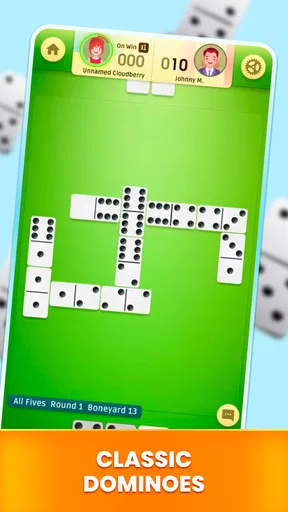
The game offers several modes to choose from: Block, Draw, and All Fives. Each mode has its unique twist on the traditional domino gameplay, which keeps things fresh and exciting. I personally started with the Block mode, which is as classic as it gets, but quickly found myself hooked on the strategic allure of All Fives.
Gameplay and Features
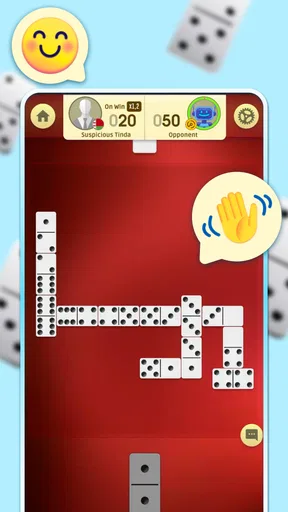
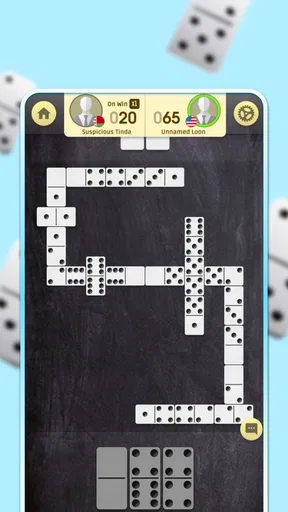
The beauty of this app lies in its simple yet engaging gameplay. The graphics are sleek and the animations smooth, offering a visually pleasing experience. The tiles are easy to manipulate, and the game’s responsiveness ensures that you won’t be frustrated by lag or glitches.
One standout feature is the AI opponents. They’re surprisingly smart, offering a challenge that keeps you on your toes. But don’t worry, if you’re just starting out, there’s a range of difficulty levels so you can ease into it. And if you’re feeling social, you can invite friends to play, adding a layer of fun competition.
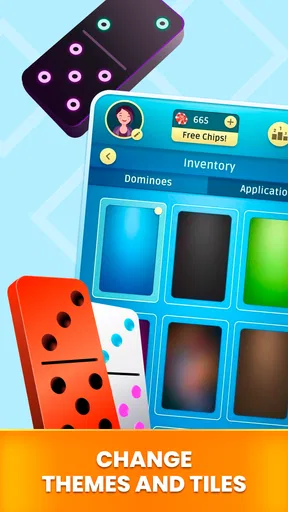
Another feature worth mentioning is the customization options. You can tweak the board and tile designs to suit your personal style. This might seem like a small detail, but it adds a personal touch that makes your gaming experience more enjoyable.
Choosing a routine that works
For an everyday example, I would use it during a short break when I want something more engaging than scrolling but do not have time to organize a full game with friends. A round against the AI gives me a clear stopping point; I can put the phone away afterward instead of needing to coordinate a group. If I have a longer quiet evening, I can spend that time trying another mode or adjusting the tile and board appearance for a change of scene.
The different AI difficulty levels are useful as a learning ladder, but I would not treat a win or loss against a computer player as a measure of how I would fare against people. For practice, focus on remembering which tiles have already been played and keeping more than one possible response when you can. That makes a solo session useful even if your eventual goal is to play with friends.
Fair play, purchases, and what to weigh
The app’s 4.7 average comes from around 256,000 ratings, and it has been installed over 10 million times. Those figures suggest that many players have tried it, but popularity alone cannot tell me whether every match feels fair or whether a particular opponent is enjoyable. I would judge the experience by playing several rounds at a comfortable difficulty, rather than assuming that a large audience guarantees a perfect fit.
There is a useful distinction between the core appeal and the spending context: dominoes is a turn-based game, and the listed in-app purchase range runs from $0.99 to $69.99 per item. I would not buy anything simply because a prompt appears during play. First, see whether the free experience is enough for your routine; if you consider a purchase, read the on-screen details and confirm exactly what it covers before approving it. The available facts do not establish how purchases affect competitive play, so I would avoid assuming they confer an advantage—or assuming they do not.
That uncertainty also shapes my view of fairness. A digital match can feel different from a physical one because an AI opponent does not offer the same kind of human read, and inviting friends changes the social dynamic again. I would use the AI for practice and casual play, then choose a friend match when the point is to test decisions against someone I know. If your priority is a transparent, tournament-style environment, look for an option that clearly explains its competitive rules and purchase effects before committing.
How it compares with other ways to play
Compared with a physical domino set, the phone version is easier to carry and does not require another person to be present for a game against the AI. The trade-off is tactile and social: you lose the feel of handling real tiles and the natural conversation around a table. Compared with a general board-game app, this one keeps attention on dominoes rather than asking you to choose among many unrelated games, which is appealing if you already know what you want to play.
If your preferred alternative is a live multiplayer service, check that it supports the kind of play you need before choosing it. This game’s described strengths include AI opponents and the ability to invite friends, but those details alone do not answer every practical question about matchmaking, connection requirements, or how a friend joins. I would install it for the modes and solo convenience, while choosing a dedicated group platform if live competition and clear lobby options are the deciding factors.
Version 3.17.1 is the current version, and the game’s release date is December 5, 2019. It supports devices running Android 9 or later. For me, that makes compatibility a simple first check: confirm the operating system on the device you plan to use before making it part of a regular routine. NewPubCo is the developer, but I would still make a personal decision based on how the game feels on my own screen and whether its purchase prompts suit my household.
Small habits that make a match more rewarding
One non-obvious way to get more out of a short session is to choose a single thing to practice, such as keeping a useful suit available or noticing what the board’s open ends are doing. Trying to improve every decision at once can make a relaxing game feel like homework. A small focus keeps the pace enjoyable while giving you a reason to return beyond chasing a win.
Customization can help with comfort as well as appearance. If a board or tile design is harder for you to read quickly, try another available look and see whether it makes scanning your hand easier. I would make that adjustment before judging the game’s visual clarity; a design that looks attractive may not be the one that works best for longer sessions or a smaller phone screen.
For parents, the Everyone age rating is reassuring as a broad content label, but it does not replace checking the purchase settings on the device. Since in-app items are available, I would explain that the game can offer paid choices and make sure a child knows to ask before buying. That is a practical precaution, not a claim that purchases are necessary to play.
Why It Stands Out
What really sets Dominoes: Classic Dominos Game apart is its dedication to maintaining the integrity of the original game while enhancing it for the digital age. The app manages to capture the nostalgic feel of playing dominoes on a summer afternoon, without sacrificing the conveniences of modern technology.
Moreover, the app’s developers are committed to continuous improvement. Regular updates ensure that any bugs are swiftly dealt with and new features are added, keeping the game fresh and relevant.
Where I would draw the line
The app is a sensible choice if you want a focused domino game, several rule variations, and the option to play against AI or invite friends. I would skip it if you need a strongly documented competitive environment, want a real-world social gathering in your pocket, or dislike games that include optional paid items. Those are not flaws everyone will care about, but they are meaningful differences when choosing between a mobile game, a physical set, and a multiplayer-first alternative.
I would also keep expectations realistic about what a mobile board game can offer. Smooth tile handling and a tidy interface make turns convenient, yet they do not replace the small rituals of a table game: sorting tiles together, talking through a move, or teaching someone face to face. If your goal is to learn the rules or enjoy a quiet match, the app is a good fit; if the goal is shared time with people in the same room, bring out the tiles.
Final Thoughts
In the vast sea of mobile games, it’s refreshing to find an app that stays true to its roots while offering a modern twist. Dominoes: Classic Dominos Game is perfect for those moments when you want to unwind with a game that’s as challenging as it is relaxing.
Whether you’re a dominoes aficionado or just looking for a new way to pass the time, this app deserves a spot on your device. It’s a delightful blend of strategy and simplicity, wrapped up in a user-friendly package. So, why not give it a try? You might just find yourself addicted to stacking those tiles and scoring big!
My trust verdict is positive but measured: I would try it as a free, casual way to play dominoes, keep purchases firmly optional, and decide after a few rounds whether the AI, modes, and presentation suit me. Its strongest case is convenience paired with familiar strategy. For a social evening, a more explicitly group-focused game may serve you better; for a quiet break or practice between real games, this one earns its place.
Pros
- Easy-to-learn interface for beginners.
- Multiple game modes for varied play.
- Quick match setup for instant fun.
- Smooth graphics enhance gameplay experience.
- Offline mode available for no interruptions.
Cons
- Contains ads that can be distracting.
- Limited customization options for tiles.
- No multiplayer chat feature included.
- In-app purchases can be pricey.
- Occasional lag in older devices.
FAQs for Dominoes: Classic Dominos Game
What are the main features of Dominoes: Classic Dominos Game?
Dominoes: Classic Dominos Game offers several game modes, including Classic, All Fives, and Block. It features both single-player and multiplayer options, allowing you to compete against AI or friends. The app also boasts an intuitive interface and customizable settings, making it accessible for players of all skill levels.
Is Dominoes: Classic Dominos Game free to play?
Yes, Dominoes: Classic Dominos Game is free to download and play on both Android and iOS platforms. However, it may contain in-app purchases and ads that enhance the gaming experience or provide additional features, such as custom tiles or ad-free gameplay.
Can I play Dominoes: Classic Dominos Game offline?
Absolutely! Dominoes: Classic Dominos Game offers an offline mode where you can play against AI opponents. This feature makes it perfect for enjoying the game without an internet connection, whether you're traveling or simply prefer offline play.
Does Dominoes: Classic Dominos Game support multiplayer mode?
Yes, the game supports multiplayer mode, allowing you to challenge friends or other players online. You can connect with others through social media accounts or invite them directly to join your game, making it a great option for social gaming.
What devices are compatible with Dominoes: Classic Dominos Game?
Dominoes: Classic Dominos Game is available for both Android and iOS devices. It is compatible with most smartphones and tablets, provided they meet the minimum operating system requirements. Ensure your device has the latest updates for optimal performance.


